Game Player
Veil Veil Interactive
2025-12-09
1970-01-01
Advertisement

Reviews

Penalty Shootout Soccer Arcade offers a straightforward and enjoyable penalty kick experience. The drag-to-shoot controls are easy to learn, making it accessible for all ages. The game focuses on accuracy and timing, providing a satisfying challenge as you try to outsmart the goalkeeper. Quick rounds are perfect for short breaks, and the clean graphics ensure a safe, family-friendly environment. It is a great choice for soccer fans looking for a quick, fun game.

About This Game

Game Introduction

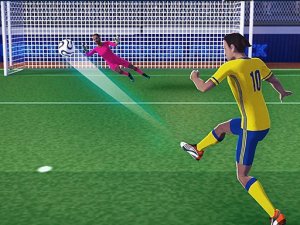
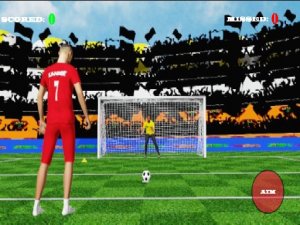
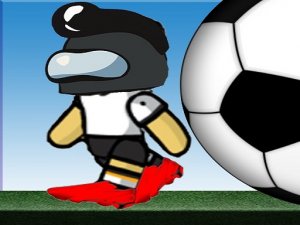
Penalty Shootout Soccer Arcade brings the excitement of a real penalty shootout to your screen. In this game, you step up to take the kick, facing a goalkeeper and an extra defender who tries to block your shot. The ball waits for your powerful strike. Your goal is simple: pick a spot in the net, drag your mouse to aim and shoot, and hope your shot finds the back of the goal. This game focuses on accuracy and timing, offering a fun and safe challenge for players of all ages. There is no violence or inappropriate content, just pure soccer action. Perfect for family game time, it brings the thrill of a real penalty shootout to your screen. Practice your aim, outsmart the keeper, and enjoy the satisfaction of scoring goals.

How to Play

To play Penalty Shootout Soccer Arcade, start by selecting the part of the goal where you want to direct the ball. Look at the goal area and pick a spot, such as left, right, or center. Then, simply drag your mouse in the direction of your kick. The harder and more accurately you drag, the better your shot. Watch the ball fly toward the net, and hope it avoids the goalkeeper and the running defender. If your aim is true, you will score a goal. The game is easy to learn but offers a fun challenge as you try to beat the keeper every time. Play again to improve your skills and aim for a perfect score.

Game Features

Fun penalty kick challenge for all ages. Simple controls with drag-to-shoot mechanics. Clean graphics and no inappropriate content. Quick rounds perfect for short breaks. Encourages accuracy and timing skills.

Tips for Success

To improve your performance, focus on your aim and timing. Practice regularly to learn the goalkeeper's movement patterns. Try different shot placements to keep the defender guessing. Stay calm and consistent with your drag motion for better accuracy.

Compatibility

๐Ÿ’ป Desktop | ๐Ÿ“ฑ Mobile | ๐Ÿ“Ÿ Tablet
โ€“ All supported ยท Best with Chrome or Safari

Frequently Asked Questions

Can I play Penalty Shootout Soccer Arcade on my mobile device?
Yes, the game is designed to work on most devices with a mouse or touch screen. You can play it on desktop computers, laptops, and many tablets. For the best experience, use a device that supports drag controls.
Is there a time limit for each shot in the game?
The game does not impose a strict time limit for each shot. You can take your time to aim and choose your spot. However, the goalkeeper may start moving if you wait too long, so it helps to make your decision promptly.
Does the game keep track of my score or high scores?
Yes, the game typically records your goals and may show a running score. Some versions also save your best performance so you can try to beat it in future sessions. Check the game interface for a score display.
Are there different difficulty levels in Penalty Shootout Soccer Arcade?
The game may include varying difficulty levels, such as an easier mode for beginners and a harder mode where the goalkeeper moves faster. These options are often selectable from the main menu. If not, the challenge naturally increases as you play.
Can I play this game offline?
Penalty Shootout Soccer Arcade is an online game that requires an internet connection to load. Once loaded, some versions may allow offline play, but it is best to have a stable connection to ensure all features work properly.
Is there any sound or music in the game?
Yes, the game includes sound effects for kicks, crowd reactions, and goal celebrations. You can usually adjust or mute the volume from the settings menu. The audio enhances the experience without being distracting.

Player Comments

0 comments
U
User
Loading comments...

Share this page

Copy the link below and share it with your friends!