
Game Introduction
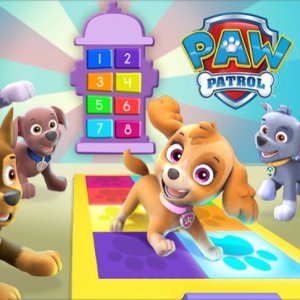
PAW Patrol Party Surprise is a cheerful online activity where children help organize a celebration for the beloved rescue pups. After completing their weekly tasks, the puppies deserve a fun break. Players take on the role of party planner, starting by selecting a colorful venue from several options. Then they choose decorations and a music setup to create the right mood. Finally, they decide which pups will attend and customize their looks with different accessories and clothing. Each decision changes the party scene, so every playthrough feels fresh. The game encourages creativity and decision-making in a stress-free environment. There are no timers, scores, or wrong choices, allowing kids to explore freely. Bright, friendly visuals and simple interactions make it suitable for young children. The experience focuses on joyful expression rather than competition. By letting children design their own party, the game builds confidence and planning skills in a playful way. It is a gentle introduction to organizing events, with beloved characters guiding the fun.
How to Play
Players use a mouse or touch screen to click on options throughout the game. The first step is to pick a party location from a set of bright, inviting scenes. Next, they choose decorations and a DJ setup to set the party atmosphere. After that, they select which PAW Patrol characters will join the celebration. For each chosen pup, they can change outfits by picking different accessories or clothing items. The game guides players through each step with clear visual cues, so no reading is needed. Young children can play independently, exploring all the choices at their own pace. The interface is intuitive, with large buttons and simple feedback. Each selection updates the party scene immediately, showing the result of their choices.
Game Features
Party planning with favorite PAW Patrol characters. Simple point-and-click controls work for all ages. Multiple choices for venue, decorations, and outfits encourage replayability. Bright, friendly graphics appeal to young children. No timers or scores, so kids can play without pressure. The game promotes creativity and personalization. Each playthrough can be different based on the player's selections. The interface is designed for independent play by preschoolers and early elementary children.
Tips for Success
Encourage children to try every venue, decoration, and outfit option to see how each choice changes the party. Let them experiment without worrying about mistakes, as there are no wrong answers. This builds decision-making skills and creativity. Playing together with your child can make the experience more interactive and fun.




Player Comments
0 comments